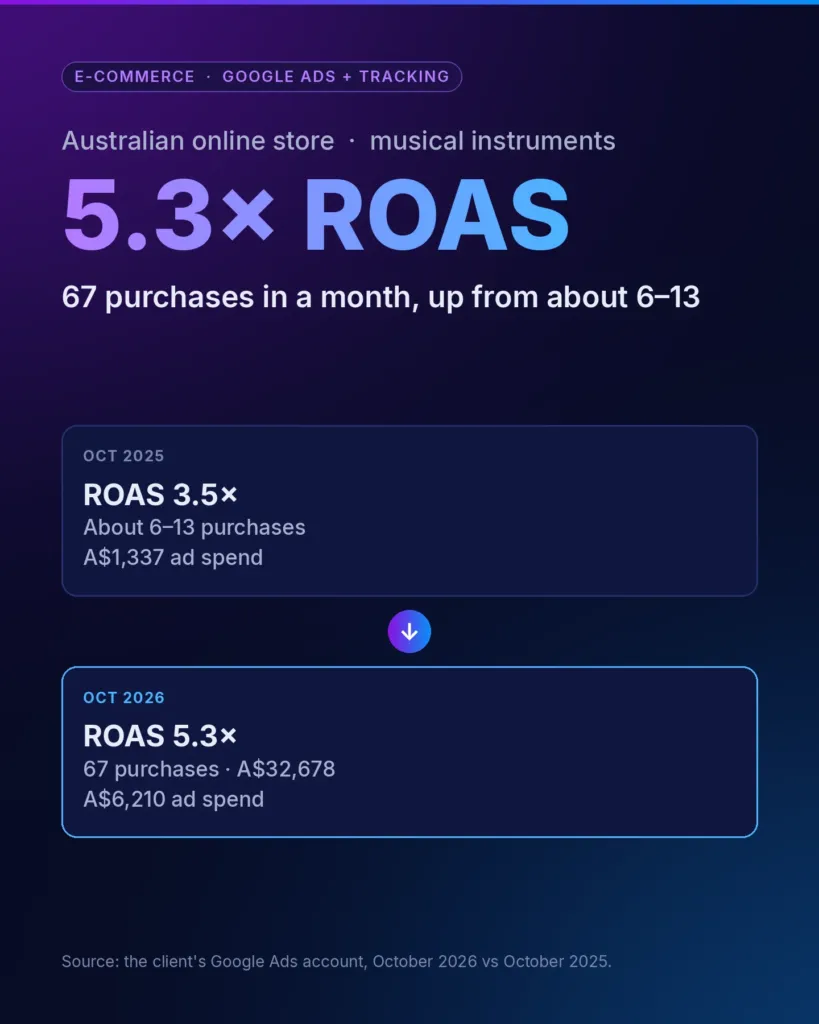
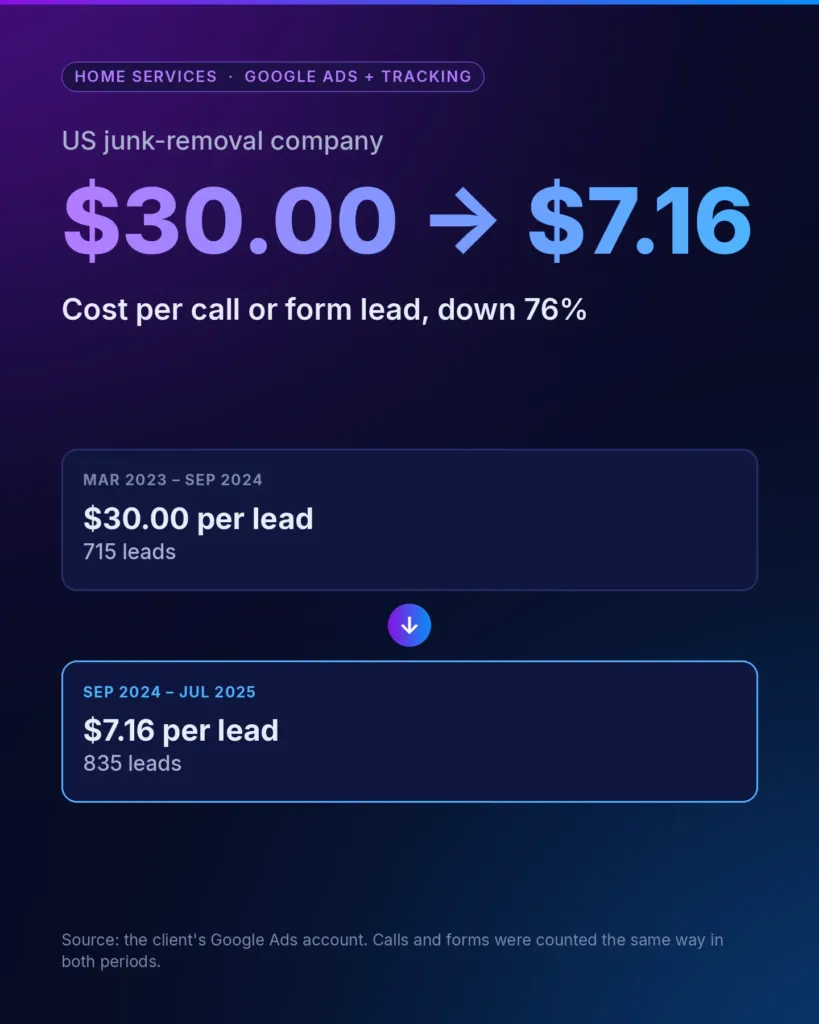
Most home-service ad accounts we check cannot tell which ads bring in phone calls. We fix that first. Then we manage your Google Ads so your budget goes to the searches that turn into booked jobs.
Run by Burhan, our co-founder for Google Ads and conversion tracking. For five years he has set up ads, Google Tag Manager and call and form tracking for small businesses. He answers every new enquiry himself.
Google Ads management for contractors and home-service businesses
Google Ads management (some people call it PPC management) means someone looks after your ads for you, so you stop paying for clicks that never turn into calls. We are a small Google Ads agency run by its founders, so the person you talk to is the person doing the work. This service is built for roofing, plumbing, HVAC and garage door companies in the US, Canada and the UK, and for tradies in Australia and New Zealand.
Each month we:
- Check which searches your ads showed up for, and block the ones that waste money, like “jobs”, “DIY” or “free”.
- Put more of your budget on the services and towns that bring in work.
- Write and test new ads.
- Check that the page your ads send people to loads fast on a phone and makes it easy to call you.
- Send you a short report with calls, form fills and cost per lead.
- Talk you through the results and next steps on a monthly call.
Google Ads conversion tracking: count every call and form
Google Ads can only find you more customers if it knows which clicks became customers. When tracking is broken, Google spends your money on the wrong searches, and your reports tell a story that is not true.
Since June 2026 we have checked 258 home-service websites that run Google Ads. 65% did not track phone calls, 34% ran the same tracking tag twice, which can count one lead twice, and 14% counted a click or page view as a lead.
We set up your tracking so that:
- Phone calls from your ads and from your website are counted as leads.
- Each form fill is counted once, not two or three times.
- Only real leads count. A page view or a button click is not a lead.
- Enhanced conversions are switched on, so Google can match more of your leads to the right ad.
- Google’s automatic bidding learns from real leads, so it can find you more of them.
Google Tag Manager setup and GA4
Google Tag Manager is a free Google tool that keeps all the tracking code for your website in one place. GA4 is Google’s free report on who visits your website and what they do there. We set up both, connect them to Google Ads, and test every tag before handover.
If you already use Google Tag Manager, we check what is in it and fix what is wrong.
How it works
- Free check. We look at how your ads and website count calls and form fills, how fast your pages load on a phone, and your Google Business Profile basics. You get a short report in plain English.
- Fix tracking first. We fix what the check found, so every call and form is counted the right way.
- Run your ads. We manage your campaigns and keep improving them, using real leads as the guide.
- Report every month. Calls, form fills and cost per lead, and a call to plan the next month.
What you can count on
- A founder does the work. Burhan works on your account himself. There are no account managers in between.
- Quick replies. We reply within one business day.
- Your business hours. We plan our day around US, UK and Australian business hours.
- You own your accounts. Your Google Ads, Google Tag Manager and GA4 stay in your name. If you leave, you keep everything.
- Prices in writing. Every price is agreed in writing before work starts.
Questions owners ask
How much does Google Ads management cost?
Ongoing ads management is a monthly fee. A one-time tracking fix has a fixed price. We agree the price with you in writing, after we have seen your account and before any work starts.
Can you fix my tracking without managing my ads?
Yes. You can start with a one-time tracking fix and keep running your ads yourself. You can add ads management later.
Will I keep my Google Ads account?
Yes. Your Google Ads, Google Tag Manager and GA4 accounts stay in your name. We work in them with our own access, and you can remove it at any time.
What do you need from me to start?
Access to your Google Ads account, and to your website or Google Tag Manager. We send you simple steps for each one.
Do you work with businesses outside the US?
Yes. We work with home-service businesses in the US, Canada, the UK, Australia and New Zealand.